<br />
<b>Warning</b>:  Declaration of Walker_Page::start_lvl(&$output, $depth) should be compatible with Walker::start_lvl(&$output) in <b>/home/vhosts/modern-smartphone.6te.net/wp-includes/post-template.php</b> on line <b>997</b><br />
<br />
<b>Warning</b>:  Declaration of Walker_Page::end_lvl(&$output, $depth) should be compatible with Walker::end_lvl(&$output) in <b>/home/vhosts/modern-smartphone.6te.net/wp-includes/post-template.php</b> on line <b>1009</b><br />
<br />
<b>Warning</b>:  Declaration of Walker_Page::start_el(&$output, $page, $depth, $args, $current_page) should be compatible with Walker::start_el(&$output) in <b>/home/vhosts/modern-smartphone.6te.net/wp-includes/post-template.php</b> on line <b>1024</b><br />
<br />
<b>Warning</b>:  Declaration of Walker_Page::end_el(&$output, $page, $depth) should be compatible with Walker::end_el(&$output) in <b>/home/vhosts/modern-smartphone.6te.net/wp-includes/post-template.php</b> on line <b>1067</b><br />
<br />
<b>Warning</b>:  Declaration of Walker_PageDropdown::start_el(&$output, $page, $depth, $args) should be compatible with Walker::start_el(&$output) in <b>/home/vhosts/modern-smartphone.6te.net/wp-includes/post-template.php</b> on line <b>1105</b><br />
<br />
<b>Warning</b>:  Declaration of Walker_Category::start_lvl(&$output, $depth, $args) should be compatible with Walker::start_lvl(&$output) in <b>/home/vhosts/modern-smartphone.6te.net/wp-includes/category-template.php</b> on line <b>800</b><br />
<br />
<b>Warning</b>:  Declaration of Walker_Category::end_lvl(&$output, $depth, $args) should be compatible with Walker::end_lvl(&$output) in <b>/home/vhosts/modern-smartphone.6te.net/wp-includes/category-template.php</b> on line <b>816</b><br />
<br />
<b>Warning</b>:  Declaration of Walker_Category::start_el(&$output, $category, $depth, $args) should be compatible with Walker::start_el(&$output) in <b>/home/vhosts/modern-smartphone.6te.net/wp-includes/category-template.php</b> on line <b>833</b><br />
<br />
<b>Warning</b>:  Declaration of Walker_Category::end_el(&$output, $page, $depth, $args) should be compatible with Walker::end_el(&$output) in <b>/home/vhosts/modern-smartphone.6te.net/wp-includes/category-template.php</b> on line <b>908</b><br />
<br />
<b>Warning</b>:  Declaration of Walker_CategoryDropdown::start_el(&$output, $category, $depth, $args) should be compatible with Walker::start_el(&$output) in <b>/home/vhosts/modern-smartphone.6te.net/wp-includes/category-template.php</b> on line <b>949</b><br />
<br />
<b>Warning</b>:  Declaration of Walker_Comment::start_lvl(&$output, $depth, $args) should be compatible with Walker::start_lvl(&$output) in <b>/home/vhosts/modern-smartphone.6te.net/wp-includes/comment-template.php</b> on line <b>1241</b><br />
<br />
<b>Warning</b>:  Declaration of Walker_Comment::end_lvl(&$output, $depth, $args) should be compatible with Walker::end_lvl(&$output) in <b>/home/vhosts/modern-smartphone.6te.net/wp-includes/comment-template.php</b> on line <b>1265</b><br />
<br />
<b>Warning</b>:  Declaration of Walker_Comment::start_el(&$output, $comment, $depth, $args) should be compatible with Walker::start_el(&$output) in <b>/home/vhosts/modern-smartphone.6te.net/wp-includes/comment-template.php</b> on line <b>1329</b><br />
<br />
<b>Warning</b>:  Declaration of Walker_Comment::end_el(&$output, $comment, $depth, $args) should be compatible with Walker::end_el(&$output) in <b>/home/vhosts/modern-smartphone.6te.net/wp-includes/comment-template.php</b> on line <b>1389</b><br />
<br />
<b>Warning</b>:  Declaration of Walker_Nav_Menu::start_lvl(&$output, $depth) should be compatible with Walker::start_lvl(&$output) in <b>/home/vhosts/modern-smartphone.6te.net/wp-includes/nav-menu-template.php</b> on line <b>40</b><br />
<br />
<b>Warning</b>:  Declaration of Walker_Nav_Menu::end_lvl(&$output, $depth) should be compatible with Walker::end_lvl(&$output) in <b>/home/vhosts/modern-smartphone.6te.net/wp-includes/nav-menu-template.php</b> on line <b>52</b><br />
<br />
<b>Warning</b>:  Declaration of Walker_Nav_Menu::start_el(&$output, $item, $depth, $args) should be compatible with Walker::start_el(&$output) in <b>/home/vhosts/modern-smartphone.6te.net/wp-includes/nav-menu-template.php</b> on line <b>67</b><br />
<br />
<b>Warning</b>:  Declaration of Walker_Nav_Menu::end_el(&$output, $item, $depth) should be compatible with Walker::end_el(&$output) in <b>/home/vhosts/modern-smartphone.6te.net/wp-includes/nav-menu-template.php</b> on line <b>106</b><br />
<?xml version="1.0" encoding="UTF-8"?>
<rss version="2.0"
	xmlns:content="http://purl.org/rss/1.0/modules/content/"
	xmlns:wfw="http://wellformedweb.org/CommentAPI/"
	xmlns:dc="http://purl.org/dc/elements/1.1/"
	xmlns:atom="http://www.w3.org/2005/Atom"
	xmlns:sy="http://purl.org/rss/1.0/modules/syndication/"
	xmlns:slash="http://purl.org/rss/1.0/modules/slash/"
	>

<channel>
	<title>Modern Smartphone &#187; Google Android</title>
	<atom:link href="http://modern-smartphone.6te.net/?cat=11&#038;feed=rss2" rel="self" type="application/rss+xml" />
	<link>http://modern-smartphone.6te.net</link>
	<description>Just another WordPress site</description>
	<lastBuildDate>Mon, 28 May 2012 10:07:11 +0000</lastBuildDate>
	<language>en</language>
	<sy:updatePeriod>hourly</sy:updatePeriod>
	<sy:updateFrequency>1</sy:updateFrequency>
	<generator>http://wordpress.org/?v=3.3.2</generator>
		<item>
		<title>&gt;Fire Glow [livewallpaper for Android]</title>
		<link>http://modern-smartphone.6te.net/?p=215</link>
		<comments>http://modern-smartphone.6te.net/?p=215#comments</comments>
		<pubDate>Thu, 24 May 2012 22:16:00 +0000</pubDate>
		<dc:creator>admin</dc:creator>
				<category><![CDATA[android Live Wallpaper]]></category>
		<category><![CDATA[Google Android]]></category>

		<guid isPermaLink="false">http://modern-smartphone.6te.net/?p=215</guid>
		<description><![CDATA[> Fire Glow is a premium live wallpaper using the latest Open GL technology to enhance your device look and feel. Fire is set with realistically crafted flames that burn in the center of your device while giving off an ambient colored glow on a fiber gradient background. Flames and ambient glow can be set [...]]]></description>
			<content:encoded><![CDATA[<p>>
<div class="separator" style="clear: both; text-align: center;"><a href="http://3.bp.blogspot.com/-mElKgPGhPBU/T76yN6eXCgI/AAAAAAAABms/1nbHEFCrQSY/s1600/Fire+Glow+live+wallpaper.png" imageanchor="1" style="clear: right; float: right; margin-bottom: 1em; margin-left: 1em;"><img border="0" src="http://3.bp.blogspot.com/-mElKgPGhPBU/T76yN6eXCgI/AAAAAAAABms/1nbHEFCrQSY/s1600/Fire+Glow+live+wallpaper.png" /></a></div>
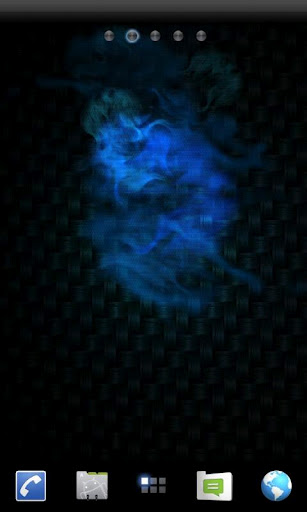
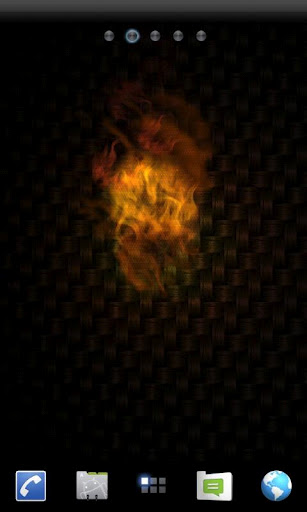
<p><i><b>Fire Glow is a premium live wallpaper using the latest Open GL technology to enhance your device look and feel. </b>Fire is set with realistically crafted flames that burn in the center of your device while giving off an ambient colored glow on a fiber gradient background. Flames and ambient glow can be set to any color imaginable and many preference settings included so you can get the right look. As an added bonus you may also layer the Skull and Bones over the flames for one sweet looking tablet or phone. Runs on the latest devices, but also configured to look great on older models as well.</i><br />
<h3> <i>Features</i></h3>
<ul>
<li><i>Vivid Colors</i></li>
<li><i>Open GL</i></li>
<li><i>Home screen scrolling supported</i></li>
<li><i>HDMI supported (HD Televisions)</i></li>
<li><i>Landscape mode supported</i></li>
<li><i>Many preference options</i></li>
<li><i>Low file size</i></li>
<li><i>Minimum battery usage</i></li>
</ul>
<div class="separator" style="clear: both; text-align: center;"><a href="http://3.bp.blogspot.com/-kpv4vPututo/T76yTOQkEaI/AAAAAAAABm0/_opF2NsB1LQ/s1600/Fire+glow+Live+wallpaper.jpg" imageanchor="1" style="margin-left: 1em; margin-right: 1em;"><img border="0" height="400" src="http://3.bp.blogspot.com/-kpv4vPututo/T76yTOQkEaI/AAAAAAAABm0/_opF2NsB1LQ/s400/Fire+glow+Live+wallpaper.jpg" width="239" /></a><a href="http://3.bp.blogspot.com/-7QUV-KPDJv0/T76yT9MeuPI/AAAAAAAABm4/ge3G8QmNTdg/s1600/Fire+glow+Live+wallpaper1.jpg" imageanchor="1" style="margin-left: 1em; margin-right: 1em;"><img border="0" height="400" src="http://3.bp.blogspot.com/-7QUV-KPDJv0/T76yT9MeuPI/AAAAAAAABm4/ge3G8QmNTdg/s400/Fire+glow+Live+wallpaper1.jpg" width="239" /></a></div>
<p><i><b>Download Fire Glow livewallpaper for Android from <a href="http://www.mediafire.com/?b1beuo2mkrqck3p" target="_blank">Here </a>!</b></i></p>
]]></content:encoded>
			<wfw:commentRss>http://modern-smartphone.6te.net/?feed=rss2&#038;p=215</wfw:commentRss>
		<slash:comments>0</slash:comments>
		</item>
		<item>
		<title>&gt;Root Toolbox Pro [for Android]</title>
		<link>http://modern-smartphone.6te.net/?p=212</link>
		<comments>http://modern-smartphone.6te.net/?p=212#comments</comments>
		<pubDate>Thu, 24 May 2012 10:18:00 +0000</pubDate>
		<dc:creator>admin</dc:creator>
				<category><![CDATA[Android Apps]]></category>
		<category><![CDATA[Google Android]]></category>

		<guid isPermaLink="false">http://modern-smartphone.6te.net/?p=212</guid>
		<description><![CDATA[> Root, Busybox and S-off are require to use most features in this app. Current Features: Reboot/Recovery/Bootloader/HotBoot/Download-Mode SetAPN/Backup/Restore&#160; Wipe Delvik&#160; Wipe Battery Stats&#160; Remount System&#160; Backup/Restor/Flash/Erase Recovery&#160; Fix permissions&#160; Launch Hidden Menu&#160; Fix Market Links&#160; Sim Settings&#160; Update Busybox&#160; CM7 Themes Restart Status Bar&#160; Dual Mount Sdcard + EXT System App Remover/Backup/Restore Enable/Disable Boot Animation [...]]]></description>
			<content:encoded><![CDATA[<p>>
<div class="separator" style="clear: both; text-align: center;"><a href="http://3.bp.blogspot.com/-HwydAEGrS6I/T74JejYJCLI/AAAAAAAABmM/2dv5Xqjh0w4/s1600/Root+Toolbox.png" imageanchor="1" style="clear: right; float: right; margin-bottom: 1em; margin-left: 1em;"><img alt="Root Toolbox Pro" border="0" src="http://3.bp.blogspot.com/-HwydAEGrS6I/T74JejYJCLI/AAAAAAAABmM/2dv5Xqjh0w4/s1600/Root+Toolbox.png" title="Root Toolbox Pro" /></a></div>
<p><b><i><a href="http://www.modern-smartphone.com/p/android-rooting.html" target="_blank">Root</a>, <a href="http://www.modern-smartphone.com/2012/03/busybox-pro-for-rooted-android-phones.html" target="_blank">Busybox</a> and S-off are require to use most features in this app.</i></b><br />
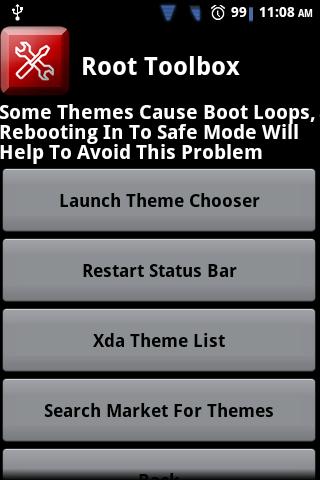
<h3>   <i>Current Features:</i></h3>
<ul>
<li><i>Reboot/Recovery/Bootloader/HotBoot/Download-Mode</i></li>
<li><i>SetAPN/Backup/Restore&nbsp;</i></li>
<li><i>Wipe Delvik&nbsp;</i></li>
<li><i>Wipe Battery Stats&nbsp;</i></li>
<li><i>Remount System&nbsp;</i></li>
<li><i>Backup/Restor/Flash/Erase Recovery&nbsp;</i></li>
<li><i>Fix permissions&nbsp;</i></li>
<li><i>Launch Hidden Menu&nbsp;</i></li>
<li><i>Fix Market Links&nbsp;</i></li>
<li><i>Sim Settings&nbsp;</i></li>
<li><i>Update Busybox&nbsp;</i></li>
<li><i>CM7 Themes</i></li>
<li><i>Restart Status Bar&nbsp;</i></li>
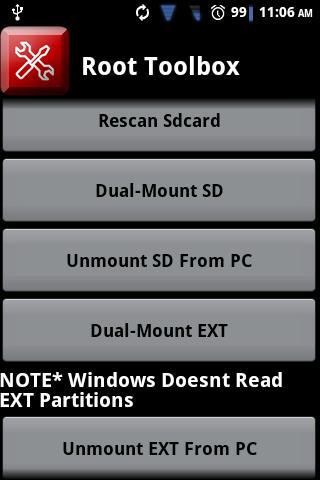
<li><i>Dual Mount Sdcard + EXT</i></li>
<li><i>System App Remover/Backup/Restore</i></li>
<li><i>Enable/Disable Boot Animation</i></li>
<li><i>Read Logcat</i></li>
<li><i>Display Device Information&nbsp;</i></li>
<li><i>Download Update.zip To Change Sdcard Read Speed</i></li>
<li><i>Wipe All Webview Cache</i></li>
<li><i>MD5 Sum Fixer</i></li>
<li><i>Package Manager</i></li>
<li><i>Debug Message</i></li>
<li><i>Install Non-Market App</i></li>
<li><i>Install Cyanogenmod&#8217;s DSP Manager</i></li>
</ul>
<p>
<div class="separator" style="clear: both; text-align: center;"><a href="http://3.bp.blogspot.com/-hY4aK4nl66E/T74JKUEf6GI/AAAAAAAABl0/Az6gFIlhvi8/s1600/Root+Toolbox2.jpg" imageanchor="1" style="margin-left: 0em; margin-right: 0em;"><img alt="Root Toolbox Pro" border="0" height="320" src="http://3.bp.blogspot.com/-hY4aK4nl66E/T74JKUEf6GI/AAAAAAAABl0/Az6gFIlhvi8/s320/Root+Toolbox2.jpg" title="Root Toolbox Pro" width="213" /></a><a href="http://4.bp.blogspot.com/-F6DEBS83kpE/T74JK7QkqjI/AAAAAAAABl8/TJdagLLMib4/s1600/Root+toolbox.jpg" imageanchor="1" style="margin-left: 0em; margin-right: 0em;"><img alt="Root Toolbox Pro" border="0" height="320" src="http://4.bp.blogspot.com/-F6DEBS83kpE/T74JK7QkqjI/AAAAAAAABl8/TJdagLLMib4/s320/Root+toolbox.jpg" title="Root Toolbox Pro" width="213" /></a><a href="http://2.bp.blogspot.com/-kBWfksbN_Ao/T74JL4lthII/AAAAAAAABmA/n_A9C0sEdgI/s1600/Root+toolbox1.jpg" imageanchor="1" style="margin-left: 0em; margin-right: 0em;"><img alt="Root Toolbox Pro" border="0" height="320" src="http://2.bp.blogspot.com/-kBWfksbN_Ao/T74JL4lthII/AAAAAAAABmA/n_A9C0sEdgI/s320/Root+toolbox1.jpg" title="Root Toolbox Pro" width="213" /></a></div>
<p><b><i>Download Root Toolbox Pro v1.7.0 for Android from <a href="http://www.mediafire.com/?dpsrbi0p09m8lkj" target="_blank">Here </a>!</i></b></p>
]]></content:encoded>
			<wfw:commentRss>http://modern-smartphone.6te.net/?feed=rss2&#038;p=212</wfw:commentRss>
		<slash:comments>0</slash:comments>
		</item>
		<item>
		<title>&gt;Total Commander [free for Andoid]</title>
		<link>http://modern-smartphone.6te.net/?p=211</link>
		<comments>http://modern-smartphone.6te.net/?p=211#comments</comments>
		<pubDate>Mon, 21 May 2012 11:25:00 +0000</pubDate>
		<dc:creator>admin</dc:creator>
				<category><![CDATA[Android Apps]]></category>
		<category><![CDATA[Google Android]]></category>

		<guid isPermaLink="false">http://modern-smartphone.6te.net/?p=211</guid>
		<description><![CDATA[> &#160;&#160;Android version of the desktop file manager Total Commander (www.ghisler.com). Main features: &#160;Copy, Move whole subdirs &#160;Inplace rename, create directories &#160;Delete (no recycle bin) &#160;Zip and unzip, unrar &#160;Properties dialog, change permissions &#160;Built-in text editor &#160;Search function (also for text) &#160;Select/unselect groups of files &#160;Select by tapping on file icons &#160;List of installed Apps [...]]]></description>
			<content:encoded><![CDATA[<p>>
<div class="separator" style="clear: both; text-align: center;"><a href="http://1.bp.blogspot.com/-Lf1y6qO0pYw/T7ohSgdOkRI/AAAAAAAABk4/T8yU1MIAUSg/s1600/Total+commander.png" imageanchor="1" style="clear: right; float: right; margin-bottom: 1em; margin-left: 1em;"><img alt="Total Commander for Andoid" border="0" src="http://1.bp.blogspot.com/-Lf1y6qO0pYw/T7ohSgdOkRI/AAAAAAAABk4/T8yU1MIAUSg/s1600/Total+commander.png" title="Total Commander for Andoid" /></a></div>
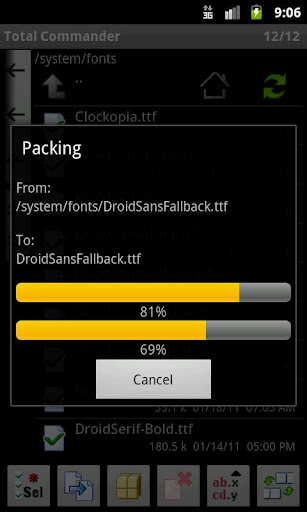
<p>&nbsp;<br />&nbsp;<b style="font-style: italic;">Android version of the desktop file manager Total Commander (www.ghisler.com).</b><br /><i><b><br /></b></i><br />
<h3>       <i>Main features:</i></h3>
<ul>
<li>&nbsp;<i>Copy, Move whole subdirs</i></li>
<li><i>&nbsp;Inplace rename, create directories</i></li>
<li><i>&nbsp;Delete (no recycle bin)</i></li>
<li><i>&nbsp;Zip and unzip, unrar</i></li>
<li><i>&nbsp;Properties dialog, change permissions</i></li>
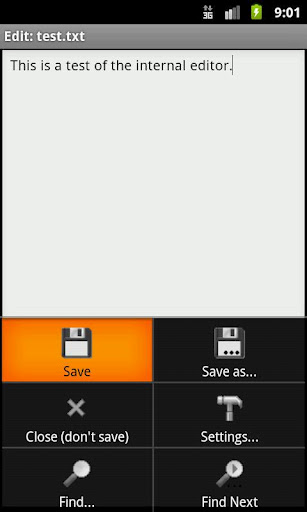
<li><i>&nbsp;Built-in text editor</i></li>
<li><i>&nbsp;Search function (also for text)</i></li>
<li><i>&nbsp;Select/unselect groups of files</i></li>
<li><i>&nbsp;Select by tapping on file icons</i></li>
<li><i>&nbsp;List of installed Apps (built-in plugin)</i></li>
<li><i>&nbsp;FTP client (plugin included in download package)</i></li>
<li><i>&nbsp;WebDAV (Web folders) (plugin included in download package)</i></li>
<li><i>&nbsp;LAN access (plugin included in download package)</i></li>
<li><i>&nbsp;Root support for the main functions</i></li>
<li><i>&nbsp;Send files via Bluetooth (OBEX)</i></li>
<li><i>&nbsp;Thumbnails for pictures</i></li>
<li><i>&nbsp;Two panels side by side, or virtual two panel mode</i></li>
<li><i>&nbsp;Bookmarks</i></li>
<li><i>&nbsp;Directory history</i></li>
<li><i>&nbsp;Configurable button bar for changing directories, internal commands, launching apps, and sending shell commands</i></li>
<li><i>&nbsp;Simple help function in English, German, Russian, Ukrainian and Czech</i></li>
</ul>
<div class="separator" style="clear: both; text-align: center;"><a href="http://1.bp.blogspot.com/-LK84Rd8eyIY/T7ohr-cv6cI/AAAAAAAABlA/D7hYgd8TTqg/s1600/total+commander+android.jpg" imageanchor="1" style="margin-left: 0em; margin-right: 0em;"><img alt="Total Commander for Andoid" border="0" height="320" src="http://1.bp.blogspot.com/-LK84Rd8eyIY/T7ohr-cv6cI/AAAAAAAABlA/D7hYgd8TTqg/s320/total+commander+android.jpg" title="Total Commander for Andoid" width="191" /></a><a href="http://2.bp.blogspot.com/-5Khx_yiN2AM/T7ohshWKAbI/AAAAAAAABlE/jgHsAqC8124/s1600/total+commander+android1.jpg" imageanchor="1" style="margin-left: 0em; margin-right: 0em;"><img alt="Total Commander for Andoid" border="0" height="320" src="http://2.bp.blogspot.com/-5Khx_yiN2AM/T7ohshWKAbI/AAAAAAAABlE/jgHsAqC8124/s320/total+commander+android1.jpg" title="Total Commander for Andoid" width="191" /></a><a href="http://1.bp.blogspot.com/-BwKaEOcOQzo/T7ohtXKnMDI/AAAAAAAABlM/UTGOsGj4-mQ/s1600/total+commander+android2.jpg" imageanchor="1" style="margin-left: 0em; margin-right: 0em;"><img alt="Total Commander for Andoid" border="0" height="320" src="http://1.bp.blogspot.com/-BwKaEOcOQzo/T7ohtXKnMDI/AAAAAAAABlM/UTGOsGj4-mQ/s320/total+commander+android2.jpg" title="Total Commander for Andoid" width="191" /></a></div>
<p><i>Supported languages of the main program: English, German, Czech, Danish, Dutch, French, Greek, Hungarian, Italian, Korean, Polish, Russian, Simplified Chinese, Slovak, Slovenian, Spanish, Swedish, Traditional Chinese and Ukrainian</i>
<div class="separator" style="clear: both; text-align: center;"><a href="http://3.bp.blogspot.com/-pYW2wK7OhSg/T7ojLnNpUrI/AAAAAAAABlY/-uWuK6Cvn3Q/s1600/total+commander+android3.jpg" imageanchor="1" style="margin-left: 0em; margin-right: 0em;"><img alt="Total Commander for Andoid" border="0" height="320" src="http://3.bp.blogspot.com/-pYW2wK7OhSg/T7ojLnNpUrI/AAAAAAAABlY/-uWuK6Cvn3Q/s320/total+commander+android3.jpg" title="Total Commander for Andoid" width="191" /></a><a href="http://4.bp.blogspot.com/-dCtJP8cBigw/T7ojMXRf6aI/AAAAAAAABlg/Be0XShqHSy0/s1600/total+commander+android4.jpg" imageanchor="1" style="margin-left: 0em; margin-right: 0em;"><img alt="Total Commander for Andoid" border="0" height="320" src="http://4.bp.blogspot.com/-dCtJP8cBigw/T7ojMXRf6aI/AAAAAAAABlg/Be0XShqHSy0/s320/total+commander+android4.jpg" title="Total Commander for Andoid" width="191" /></a><a href="http://1.bp.blogspot.com/-BdlzKTtXbM4/T7ojNFlG3DI/AAAAAAAABlk/z4tRs0d6C7k/s1600/total+commander+android5.jpg" imageanchor="1" style="margin-left: 0em; margin-right: 0em;"><img alt="Total Commander for Andoid" border="0" height="320" src="http://1.bp.blogspot.com/-BdlzKTtXbM4/T7ojNFlG3DI/AAAAAAAABlk/z4tRs0d6C7k/s320/total+commander+android5.jpg" title="Total Commander for Andoid" width="191" /></a></div>
<p><i><b>Download Total Commander for Android from <a href="http://www.mediafire.com/?0qf9mabptb3hj9u" target="_blank">Here </a>!&nbsp;</b></i></p>
]]></content:encoded>
			<wfw:commentRss>http://modern-smartphone.6te.net/?feed=rss2&#038;p=211</wfw:commentRss>
		<slash:comments>0</slash:comments>
		</item>
		<item>
		<title>&gt;Unlock Sony Ericsson Xperia Arc/Neo/Pro/Play Bootloader</title>
		<link>http://modern-smartphone.6te.net/?p=210</link>
		<comments>http://modern-smartphone.6te.net/?p=210#comments</comments>
		<pubDate>Sun, 20 May 2012 22:00:00 +0000</pubDate>
		<dc:creator>admin</dc:creator>
				<category><![CDATA[Android Tutorials]]></category>
		<category><![CDATA[Google Android]]></category>

		<guid isPermaLink="false">http://modern-smartphone.6te.net/?p=210</guid>
		<description><![CDATA[> Requirements: Fastboot package (Here). Sony Ericsson USB drivers (32bit &#38; 64bit Here). A functioning internet connection. Instructions: To begin, navigate to this website: http://unlockbootloader.sonyericsson.com/instructions. Click Continue at the bottom of the page and enter your device’s IMEI code, name and email address in the relevant fields (you can view the IMEI number by entering [...]]]></description>
			<content:encoded><![CDATA[<p>>
<div class="separator" style="clear: both; text-align: center;"><a href="http://3.bp.blogspot.com/-4NAsWi7ASEs/T7lodXQ6mAI/AAAAAAAABks/cRjv6pNvbpQ/s1600/Sony+ericsson+bootloader+unlock.png" imageanchor="1" style="clear: right; float: right; margin-bottom: 1em; margin-left: 1em;"><img border="0" height="104" src="http://3.bp.blogspot.com/-4NAsWi7ASEs/T7lodXQ6mAI/AAAAAAAABks/cRjv6pNvbpQ/s200/Sony+ericsson+bootloader+unlock.png" width="200" /></a></div>
<p>
<h3>  <i>Requirements:</i></h3>
<ul>
<li><i>Fastboot package (<a href="http://www.mediafire.com/?3u013xo7afed5up" target="_blank">Here</a>).</i></li>
<li><i>Sony Ericsson USB drivers (32bit &amp; 64bit <a href="http://www.mediafire.com/?f8rs9hu2vvt5ir5" target="_blank">Here</a>).</i></li>
<li><i>A functioning internet connection.</i></li>
</ul>
<h3>  <i>Instructions:</i></h3>
<ul>
<li><i>To begin, navigate to this website:<a href="http://unlockbootloader.sonymobile.com/"> http://unlockbootloader.sonyericsson.com/instructions</a>.</i></li>
<li><i>Click Continue at the bottom of the page and enter your device’s IMEI code, name and email address in the relevant fields (you can view the IMEI number by entering *#06# on your phone).</i></li>
<li><i>Your unique unlock key will now be mailed to you.</i></li>
<li><i>Now unzip fastboot.zip and open the folder extracted.</i></li>
<li><i>Within that folder, hold the Shift key and press the right Mouse button. Now select Open command window here.</i></li>
<li><i>Now we need to connect the phone to the pc in fastboot mode. Do so by turning the phone off, holding the menu button (search button for the Xperia Play) and plugging in the USB Cable.</i></li>
<li><i>Now in the command prompt, enter the following command:</i></li>
</ul>
<blockquote class="tr_bq"><p><span style="color: red;"><i>fastboot.exe -i 0x0fce getvar version</i></span></p></blockquote>
<ul>
<li><i>Now enter the command, replacing KEY in the string with the unlock key mailed to you:</i></li>
</ul>
<blockquote class="tr_bq"><p><span style="color: red;"><i>fastboot.exe -i 0x0fce oem unlock 0xKEY</i></span></p></blockquote>
<p><i>Your smartphone bootloader shoud be unlocked now !</i></p>
]]></content:encoded>
			<wfw:commentRss>http://modern-smartphone.6te.net/?feed=rss2&#038;p=210</wfw:commentRss>
		<slash:comments>0</slash:comments>
		</item>
		<item>
		<title>&gt;Pool Break Pro [for Android]</title>
		<link>http://modern-smartphone.6te.net/?p=209</link>
		<comments>http://modern-smartphone.6te.net/?p=209#comments</comments>
		<pubDate>Sun, 20 May 2012 09:05:00 +0000</pubDate>
		<dc:creator>admin</dc:creator>
				<category><![CDATA[Android Games]]></category>
		<category><![CDATA[Google Android]]></category>

		<guid isPermaLink="false">http://modern-smartphone.6te.net/?p=209</guid>
		<description><![CDATA[> &#160; &#160;Ready for some realistic pool action? With a ton of games and lots of fast paced action, Pool Break will keep the most seasoned pro playing well into the night. Its realistic 3D graphics and linear shot guides help you line up your shot, modify the shooting angle, and see where your shot [...]]]></description>
			<content:encoded><![CDATA[<p>>
<div class="separator" style="clear: both; text-align: center;"><a href="http://4.bp.blogspot.com/-SrBqBgVDges/T7ixgx6vsEI/AAAAAAAABjw/9x6slFIDhQ8/s1600/Pool+Break+Pro.png" imageanchor="1" style="clear: right; float: right; margin-bottom: 1em; margin-left: 1em;"><img alt="Pool Break Pro" border="0" src="http://4.bp.blogspot.com/-SrBqBgVDges/T7ixgx6vsEI/AAAAAAAABjw/9x6slFIDhQ8/s1600/Pool+Break+Pro.png" title="Pool Break Pro" /></a></div>
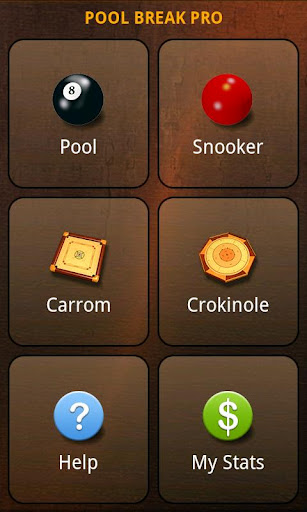
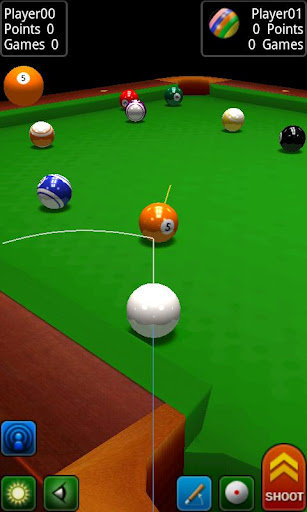
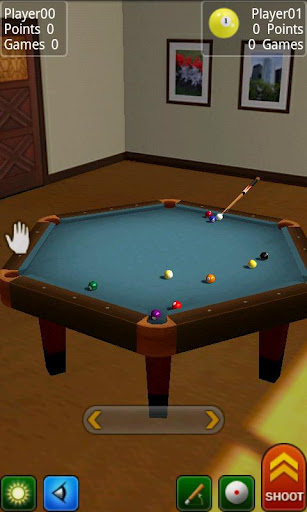
<p><i><b>&nbsp; &nbsp;Ready for some realistic pool action? With a ton of games and lots of fast paced action, Pool Break will keep the most seasoned pro playing well into the night. Its realistic 3D graphics and linear shot guides help you line up your shot, modify the shooting angle, and see where your shot is going to land, making it easy to line yourself up for your next move.</b></i><br /><i><b>You may also play against computer or in pass-n-play mode.</b></i><br />
<h3>     <i>Pool Break Features Include:&nbsp;</i></h3>
<ul>
<li><i>&nbsp;Over a dozen games packed into one app&nbsp;</i></li>
<li><i>&nbsp;Supports Online Cross-Platform Multiplayer Gaming&nbsp;</i></li>
<li><i>&nbsp;Supports online chat&nbsp;</i></li>
<li><i>&nbsp;Play against the computer with four difficulty levels&nbsp;</i></li>
<li><i>&nbsp;Pass-n-Play mode&nbsp;</i></li>
<li><i>&nbsp;Very Realistic Pool and Snooker Physics&nbsp;</i></li>
<li><i>&nbsp;Pan and Zoom and Slow Motion modes&nbsp;</i></li>
<li><i>&nbsp;Free View and First Person View&nbsp;</i></li>
<li><i>&nbsp;Regular or Hexagonal tables&nbsp;</i></li>
<li><i>&nbsp;Allows Curve and Masse shots and full English&nbsp;</i></li>
<li><i>&nbsp;Intuitive User Interface&nbsp;</i></li>
<li><i>&nbsp;Built-in Help Manuals explain how to play&nbsp;</i></li>
<li><i>&nbsp;Hours of fun</i></li>
</ul>
<div class="separator" style="clear: both; text-align: center;"><a href="http://3.bp.blogspot.com/-vDUg7od9uEw/T7ixopp7iwI/AAAAAAAABj4/JRXdo7I0jHs/s1600/Pool+break+Pro.jpg" imageanchor="1" style="margin-left: 0em; margin-right: 0em;"><img alt="Pool Break Pro" border="0" height="320" src="http://3.bp.blogspot.com/-vDUg7od9uEw/T7ixopp7iwI/AAAAAAAABj4/JRXdo7I0jHs/s320/Pool+break+Pro.jpg" title="Pool Break Pro" width="191" /></a><a href="http://3.bp.blogspot.com/-iZ1GepGFgI0/T7ixpPnIQSI/AAAAAAAABkA/O02NHUPP76g/s1600/Pool+break+Pro1.jpg" imageanchor="1" style="margin-left: 0em; margin-right: 0em;"><img alt="Pool Break Pro" border="0" height="320" src="http://3.bp.blogspot.com/-iZ1GepGFgI0/T7ixpPnIQSI/AAAAAAAABkA/O02NHUPP76g/s320/Pool+break+Pro1.jpg" title="Pool Break Pro" width="191" /></a><a href="http://3.bp.blogspot.com/-lJhBasxjeuM/T7ixqJNIKCI/AAAAAAAABkE/8oFYebjJyN8/s1600/Pool+break+Pro2.jpg" imageanchor="1" style="margin-left: 0em; margin-right: 0em;"><img alt="Pool Break Pro" border="0" height="320" src="http://3.bp.blogspot.com/-lJhBasxjeuM/T7ixqJNIKCI/AAAAAAAABkE/8oFYebjJyN8/s320/Pool+break+Pro2.jpg" title="Pool Break Pro" width="191" /></a></div>
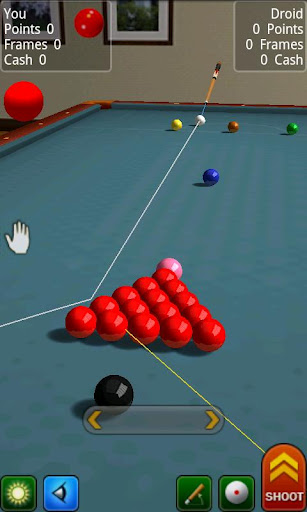
<p><i>3D Pool, Snooker, Billiards, Carrom, Crokinole. Play online or against computer.</i><br /><i>Pool Break is not just a game, but an entire suite of games featuring several variations of Pool, Snooker, and the popular Crokinole and Carrom board games. The full 3D graphics are spectacular and the physics are realistic and accurate. Whether you play against the computer or against other Android, iPhone or iPad users online, the action is smooth and fast paced!</i><br />
<h3>     <i>Pool Break Games Include:&nbsp;</i></h3>
<ul>
<li><i>&nbsp;US 8-Ball Pool&nbsp;</i></li>
<li><i>&nbsp;UK 8-Ball Pool&nbsp;</i></li>
<li><i>&nbsp;9-Ball Pool&nbsp;</i></li>
<li><i>&nbsp;One Pocket Pool&nbsp;</i></li>
<li><i>&nbsp;Straight or 14.1 Continuous Pool&nbsp;</i></li>
<li><i>&nbsp;Carom (or 3-cushion) Billiards&nbsp;</i></li>
<li><i>&nbsp;Pool Drills&nbsp;</i></li>
<li><i>&nbsp;Place-n-Shoot Pool&nbsp;</i></li>
<li><i>&nbsp;Regular Snooker&nbsp;</i></li>
<li><i>&nbsp;Snooker 6-Reds</i></li>
<li><i>&nbsp;Snooker 10-Reds&nbsp;</i></li>
<li><i>&nbsp;Carrom (three board styles)&nbsp;</i></li>
<li><i>&nbsp;Crokinole board game</i></li>
</ul>
<div class="separator" style="clear: both; text-align: center;"><a href="http://4.bp.blogspot.com/-IPmZmOkhp-Y/T7iy5RqBqpI/AAAAAAAABkQ/bjuGud0m_VU/s1600/Pool+break+Pro3.jpg" imageanchor="1" style="margin-left: 0em; margin-right: 0em;"><img alt="Pool Break Pro" border="0" height="320" src="http://4.bp.blogspot.com/-IPmZmOkhp-Y/T7iy5RqBqpI/AAAAAAAABkQ/bjuGud0m_VU/s320/Pool+break+Pro3.jpg" title="Pool Break Pro" width="191" /></a><a href="http://4.bp.blogspot.com/-1EZvjkHNfbo/T7iy5z4rxbI/AAAAAAAABkU/4poX6k-FPXc/s1600/Pool+break+Pro4.jpg" imageanchor="1" style="margin-left: 0em; margin-right: 0em;"><img alt="Pool Break Pro" border="0" height="320" src="http://4.bp.blogspot.com/-1EZvjkHNfbo/T7iy5z4rxbI/AAAAAAAABkU/4poX6k-FPXc/s320/Pool+break+Pro4.jpg" title="Pool Break Pro" width="191" /></a><a href="http://3.bp.blogspot.com/-CJtWFMZljwk/T7iy6kMxw3I/AAAAAAAABkg/sFPKdWs83ks/s1600/Pool+break+Pro5.jpg" imageanchor="1" style="margin-left: 0em; margin-right: 0em;"><img alt="Pool Break Pro" border="0" height="320" src="http://3.bp.blogspot.com/-CJtWFMZljwk/T7iy6kMxw3I/AAAAAAAABkg/sFPKdWs83ks/s320/Pool+break+Pro5.jpg" title="Pool Break Pro" width="191" /></a></div>
<p><i><b>Download Pool Break Pro from <a href="http://www.mediafire.com/?ebck74x3g58dq82" target="_blank">HERE </a>!</b></i></p>
]]></content:encoded>
			<wfw:commentRss>http://modern-smartphone.6te.net/?feed=rss2&#038;p=209</wfw:commentRss>
		<slash:comments>0</slash:comments>
		</item>
		<item>
		<title>&gt;Installing Custom Boot Animations on your Android Device</title>
		<link>http://modern-smartphone.6te.net/?p=206</link>
		<comments>http://modern-smartphone.6te.net/?p=206#comments</comments>
		<pubDate>Thu, 17 May 2012 08:08:00 +0000</pubDate>
		<dc:creator>admin</dc:creator>
				<category><![CDATA[Android Tutorials]]></category>
		<category><![CDATA[Google Android]]></category>

		<guid isPermaLink="false">http://modern-smartphone.6te.net/?p=206</guid>
		<description><![CDATA[> How to Install Custom Boot Animations on your Device &#160;You have to be rooted in order to do this. &#160;Download Root Explorer from Here. &#160;Rename downloaded .zip to &#8220;bootanimation&#8221; and Copy to SD Card &#160;Unmount your Droid. &#160;Open Root Explorer, tap on “sdcard” and locate bootanimation.zip. &#160;Long press on bootanimation.zip and choose “Move”. &#160;Hit [...]]]></description>
			<content:encoded><![CDATA[<p>><br />
<h2>How to Install Custom Boot Animations on your Device</h2>
<ul>
<li><i>&nbsp;You have to be<a href="http://www.modern-smartphone.com/p/android-rooting.html" target="_blank"> rooted</a> in order to do this.</i></li>
<li><i>&nbsp;Download Root Explorer from <a href="http://www.modern-smartphone.com/2012/04/root-explorer-full-for-android.html" target="_blank">Here</a>.</i></li>
<li><i>&nbsp;Rename <b>downloaded .zip</b> to &#8220;<b>bootanimation</b>&#8221; and Copy to SD Card</i></li>
<li><i>&nbsp;Unmount your Droid.</i></li>
<li><i>&nbsp;Open <a href="http://www.modern-smartphone.com/2012/04/root-explorer-full-for-android.html" target="_blank">Root Explorer</a>, tap on “sdcard” and locate bootanimation.zip.</i></li>
<li><i>&nbsp;Long press on bootanimation.zip and choose “<b>Move</b>”.</i></li>
<li><i>&nbsp;Hit the back button once and locate the “<b>system</b>” folder.</i></li>
<li><i>Tap and open “<b>system</b>” and then “media”.</i></li>
<li><i>&nbsp;Hit “<b>Paste</b>” which should be an option at the bottom of your screen.</i></li>
<li><i>&nbsp;If there is already a <b>bootanimation.zip</b> file, let Root Explorer overwrite it.</i></li>
<li><i>&nbsp;Back out of <a href="http://www.modern-smartphone.com/2012/04/root-explorer-full-for-android.html" target="_blank">Root Explorer</a> and Reboot your phone.</i></li>
<li><i>&nbsp;Enjoy your new Droid boot animation.</i></li>
</ul>
<div class="separator" style="clear: both; text-align: center;"><a href="http://4.bp.blogspot.com/-72sHaIgshw8/T7SxgZLdMKI/AAAAAAAABjE/HbDZV775Ps8/s1600/Android-Particle-Ring-Bootanimation-Green.gif" imageanchor="1" style="margin-left: 1em; margin-right: 1em;"><img border="0" src="http://4.bp.blogspot.com/-72sHaIgshw8/T7SxgZLdMKI/AAAAAAAABjE/HbDZV775Ps8/s1600/Android-Particle-Ring-Bootanimation-Green.gif" /></a></div>
<p>
<h2> <i>Alternate Method</i></h2>
<ul>
<li><i>&nbsp;You have to be <a href="http://www.modern-smartphone.com/p/android-rooting.html" target="_blank">rooted</a>.</i></li>
<li><i>&nbsp;Rename downloaded .zip to bootanimation</i></li>
<li><i>&nbsp;Copy to SD Card</i></li>
<li><i>&nbsp;Open up Terminal Emulator on phone</i></li>
<li><i>&nbsp;Insert following comands:</i></li>
</ul>
<div>
<blockquote>
<ol>
<li><i><b>su</b></i></li>
<li><i><b>mount -o remount,rw -t yaffs2 /dev/block/mtdblock3 /system</b></i></li>
<li><i><b>dd if=/sdcard/bootanimation.zip of=/system/media/bootanimation.zip</b></i></li>
<li><i><b>Reboot</b></i></li>
</ol>
</blockquote>
</div>
]]></content:encoded>
			<wfw:commentRss>http://modern-smartphone.6te.net/?feed=rss2&#038;p=206</wfw:commentRss>
		<slash:comments>0</slash:comments>
		</item>
		<item>
		<title>&gt;Kitty Cat Live Wallpaper [for Android]</title>
		<link>http://modern-smartphone.6te.net/?p=203</link>
		<comments>http://modern-smartphone.6te.net/?p=203#comments</comments>
		<pubDate>Mon, 14 May 2012 21:30:00 +0000</pubDate>
		<dc:creator>admin</dc:creator>
				<category><![CDATA[android Live Wallpaper]]></category>
		<category><![CDATA[Google Android]]></category>

		<guid isPermaLink="false">http://modern-smartphone.6te.net/?p=203</guid>
		<description><![CDATA[> A cute little pink kitten for your android device wallpaper! Kitty Cat Live Wallpaper Live Wallpaper Animated Kitty Cat HD Live Wallpaper Live Wallpaper Animated&#160; Very nice animated wallpaper cute baby cat HD Live Wallpaper&#160; Consumes very little battery !!! No annoying advertising !!! &#160;Download&#160;Kitty Cat Live Wallpaper v1.0 from HERE !]]></description>
			<content:encoded><![CDATA[<p>>
<div class="separator" style="clear: both; text-align: center;"><a href="http://4.bp.blogspot.com/-vHCph92srk4/T7F3EKEvvdI/AAAAAAAABhg/ODuJORfqdb8/s1600/Kitty+cat+Live+wallpaper.jpg" imageanchor="1" style="clear: right; float: right; margin-bottom: 1em; margin-left: 1em;"><img alt="Kitty Cat Live Wallpaper " border="0" src="http://4.bp.blogspot.com/-vHCph92srk4/T7F3EKEvvdI/AAAAAAAABhg/ODuJORfqdb8/s1600/Kitty+cat+Live+wallpaper.jpg" title="Kitty Cat Live Wallpaper " /></a></div>
<p><b><i>A cute little pink kitten for your android device wallpaper!</i></b>
<ul>
<li><i>Kitty Cat Live Wallpaper</i></li>
<li><i>Live Wallpaper Animated</i></li>
<li><i>Kitty Cat HD Live Wallpaper</i></li>
<li><i>Live Wallpaper Animated&nbsp;</i></li>
<li><i>Very nice animated wallpaper cute baby cat</i></li>
<li><i>HD Live Wallpaper&nbsp;</i></li>
<li><i>Consumes very little battery !!!</i></li>
<li><i>No annoying advertising !!!</i></li>
</ul>
<div class="separator" style="clear: both; text-align: center;"><i><a href="http://1.bp.blogspot.com/-A1PYvhGGm3A/T7F3IrGYwrI/AAAAAAAABho/re5JZZeGtcE/s1600/Kitty+cat+Live+wallpaper1.jpg" imageanchor="1" style="margin-left: 1em; margin-right: 1em;"><img alt="Kitty Cat Live Wallpaper " border="0" height="200" src="http://1.bp.blogspot.com/-A1PYvhGGm3A/T7F3IrGYwrI/AAAAAAAABho/re5JZZeGtcE/s200/Kitty+cat+Live+wallpaper1.jpg" title="Kitty Cat Live Wallpaper " width="119" /></a><a href="http://4.bp.blogspot.com/--IMacIKXlMk/T7F3JXAW_dI/AAAAAAAABhs/QcaVNQxUOts/s1600/Kitty+cat+Live+wallpaper2.jpg" imageanchor="1" style="margin-left: 1em; margin-right: 1em;"><img alt="Kitty Cat Live Wallpaper " border="0" height="200" src="http://4.bp.blogspot.com/--IMacIKXlMk/T7F3JXAW_dI/AAAAAAAABhs/QcaVNQxUOts/s200/Kitty+cat+Live+wallpaper2.jpg" title="Kitty Cat Live Wallpaper " width="119" /></a><a href="http://3.bp.blogspot.com/-c67EwNcIFXg/T7F3Jyqp8UI/AAAAAAAABh0/XX6dnZfnb0o/s1600/Kitty+cat+Live+wallpaper3.jpg" imageanchor="1" style="margin-left: 1em; margin-right: 1em;"><img alt="Kitty Cat Live Wallpaper " border="0" height="200" src="http://3.bp.blogspot.com/-c67EwNcIFXg/T7F3Jyqp8UI/AAAAAAAABh0/XX6dnZfnb0o/s200/Kitty+cat+Live+wallpaper3.jpg" title="Kitty Cat Live Wallpaper " width="119" /></a></i></div>
<p><i><b>&nbsp;Download&nbsp;Kitty Cat Live Wallpaper v1.0 from <a href="http://www.mediafire.com/?6ixtc6hr2a32ps2" target="_blank">HERE </a>!</b></i></p>
]]></content:encoded>
			<wfw:commentRss>http://modern-smartphone.6te.net/?feed=rss2&#038;p=203</wfw:commentRss>
		<slash:comments>0</slash:comments>
		</item>
		<item>
		<title>&gt;App 2 SD Pro (move apps to SD)[for Android]</title>
		<link>http://modern-smartphone.6te.net/?p=202</link>
		<comments>http://modern-smartphone.6te.net/?p=202#comments</comments>
		<pubDate>Sun, 13 May 2012 12:12:00 +0000</pubDate>
		<dc:creator>admin</dc:creator>
				<category><![CDATA[Android Apps]]></category>
		<category><![CDATA[Google Android]]></category>

		<guid isPermaLink="false">http://modern-smartphone.6te.net/?p=202</guid>
		<description><![CDATA[> App 2 SD helps you to get more free internal phone storage space !App 2 SD streamlines the movement of applications to on your device&#8217;s external or internal storage through your device&#8217;s Settings. With this handy app, you&#8217;ll have more control over your ever expanding collection of apps. This app is crucial to anyone [...]]]></description>
			<content:encoded><![CDATA[<p>>
<div class="separator" style="clear: both; text-align: center;"><a href="http://3.bp.blogspot.com/-SFcMCins9E0/T6-ULuYLXqI/AAAAAAAABg4/IAtXKSwobFc/s1600/App+2+SD+Pro.png" imageanchor="1" style="clear: right; float: right; margin-bottom: 1em; margin-left: 1em;"><br /><img alt="App 2 SD Pro" border="0" src="http://3.bp.blogspot.com/-SFcMCins9E0/T6-ULuYLXqI/AAAAAAAABg4/IAtXKSwobFc/s1600/App+2+SD+Pro.png" title="App 2 SD Pro" /></a></div>
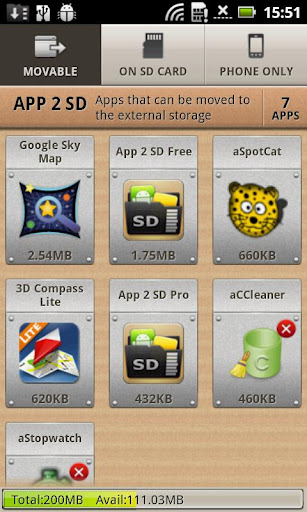
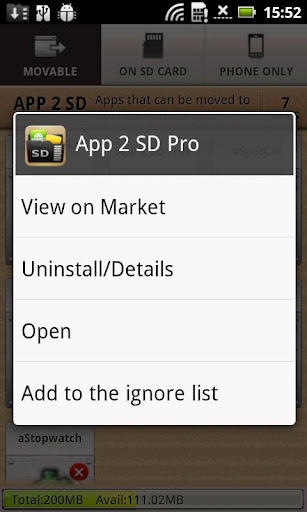
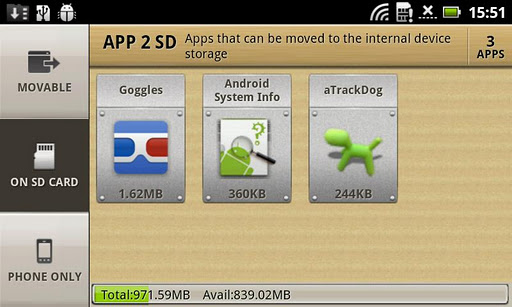
<p><i>App 2 SD helps you to get more free internal phone storage space !</i><br /><b><i>App 2 SD streamlines the movement of applications to on your device&#8217;s external or internal storage through your device&#8217;s Settings. With this handy app, you&#8217;ll have more control over your ever expanding collection of apps. This app is crucial to anyone who has memory management issues.</i></b><br />
<h2> <i>Features:</i></h2>
<ul>
<li><i>View all SD card capable apps and move them seamlessly</i></li>
<li><i>notify if movable apps installed</i></li>
<li><i>1-tap to clear all app cache</i></li>
<li><i>export the app list to SD card</i></li>
<li><i>install apps from the exported app list</i></li>
<li><i>home screen widget shows cache and available size</i></li>
<li><i>show app cache/data/code/total size</i></li>
<li><i>keep track of total and available storage space</i></li>
<li><i>sort through apps stored on phone and SD card</i></li>
<li><i>add movable apps to the ignore list</i></li>
<li><i>move apps back to the internal storage</i></li>
<li><i>view app on Market</i></li>
<li><i>quick uninstall apps by drag-n-drop</i></li>
<li><i>open app</i></li>
<li><i>show app details page</i></li>
<li><i>support &#8220;Move2SD Enabler&#8221;</i></li>
<li><i>customizable notification sound, vibrate and light</i></li>
</ul>
<div class="separator" style="clear: both; text-align: center;"><a href="http://2.bp.blogspot.com/-9v82dLkmezI/T6-YAu25PGI/AAAAAAAABhE/Lzhuc-py5Rs/s1600/App+2+SD+Pro.jpg" imageanchor="1" style="margin-left: 1em; margin-right: 1em;"><img alt="App 2 SD Pro" border="0" height="320" src="http://2.bp.blogspot.com/-9v82dLkmezI/T6-YAu25PGI/AAAAAAAABhE/Lzhuc-py5Rs/s320/App+2+SD+Pro.jpg" title="App 2 SD Pro" width="191" /></a><a href="http://1.bp.blogspot.com/-084JC0iyoLk/T6-YBgZuHaI/AAAAAAAABhM/M-ssVdsvqoY/s1600/App+2+SD+Pro1.jpg" imageanchor="1" style="margin-left: 1em; margin-right: 1em;"><img alt="App 2 SD Pro" border="0" height="320" src="http://1.bp.blogspot.com/-084JC0iyoLk/T6-YBgZuHaI/AAAAAAAABhM/M-ssVdsvqoY/s320/App+2+SD+Pro1.jpg" title="App 2 SD Pro" width="191" /></a></div>
<div class="separator" style="clear: both; text-align: center;"><a href="http://1.bp.blogspot.com/-790IDIYWgd8/T6-YC9iLuzI/AAAAAAAABhU/hRm4z2YHyXU/s1600/App+2+SD+Pro2.jpg" imageanchor="1" style="margin-left: 1em; margin-right: 1em; text-align: center;"><img alt="App 2 SD Pro" border="0" height="238" src="http://1.bp.blogspot.com/-790IDIYWgd8/T6-YC9iLuzI/AAAAAAAABhU/hRm4z2YHyXU/s400/App+2+SD+Pro2.jpg" title="App 2 SD Pro" width="400" /></a></div>
<p><i><b>&nbsp;</b></i><i><b>Dovnload App 2 SD Pro v2.51&nbsp;from <a href="http://www.mediafire.com/?124ij8b17u43tv6" target="_blank">HERE </a>!</b></i></p>
]]></content:encoded>
			<wfw:commentRss>http://modern-smartphone.6te.net/?feed=rss2&#038;p=202</wfw:commentRss>
		<slash:comments>0</slash:comments>
		</item>
		<item>
		<title>&gt;Flashing MIUI ROM to Nexus One G5</title>
		<link>http://modern-smartphone.6te.net/?p=199</link>
		<comments>http://modern-smartphone.6te.net/?p=199#comments</comments>
		<pubDate>Fri, 11 May 2012 12:28:00 +0000</pubDate>
		<dc:creator>admin</dc:creator>
				<category><![CDATA[Android Tutorials]]></category>
		<category><![CDATA[Google Android]]></category>

		<guid isPermaLink="false">http://modern-smartphone.6te.net/?p=199</guid>
		<description><![CDATA[> &#160;&#160;MIUI is one of the most popular Android ROMs in the world. It is based on Android 2.3 and 4.0, featuring better experience and richer themes.*Remember that only ROOT users ca use custom ROM&#8217;s Here is a step by step guide on woh to flash to&#160;Nexus One G5Downloading flashing tools and ROM packDownload necessary [...]]]></description>
			<content:encoded><![CDATA[<p>>
<div class="separator" style="clear: both; text-align: center;"><a href="http://4.bp.blogspot.com/-69uG1SJSET0/T6zN2kpVJ2I/AAAAAAAABfI/gPXEGzrOdWg/s1600/MIUI.jpg" imageanchor="1" style="clear: right; float: right; margin-bottom: 1em; margin-left: 1em;"><b><img alt="Flashing MIUI ROM to Nexus One G5" border="0" src="http://4.bp.blogspot.com/-69uG1SJSET0/T6zN2kpVJ2I/AAAAAAAABfI/gPXEGzrOdWg/s1600/MIUI.jpg" title="Flashing MIUI ROM to Nexus One G5" /></b></a></div>
<p><b>&nbsp;&nbsp;<i>MIUI is one of the most popular Android ROMs in the world. It is based on Android 2.3 and 4.0, featuring better experience and richer themes.</i></b><br /><b><i>*Remember that only <a href="http://www.modern-smartphone.com/p/android-rooting.html" target="_blank">ROOT </a>users ca use custom ROM&#8217;s</i></b></p>
<p><b><b><b><b><i>Here is a step by step guide on woh to flash to&nbsp;Nexus One G5</i><br /><i></i><b><i><span style="font-size: large;"></span></i></b></b></b><br /><b><b><b><i><span style="font-size: large;">Downloading flashing tools and ROM pack</span></i><br /><i>Download necessary files to prepare for flashing MIUI ROM</i></b></b></b><br /></b></b>
<ul><b><b><b>
<li><i>Download the latest MIUI ROM (<a href="http://www.mediafire.com/?tsk2aq6kbrmtpz0" target="_blank">here</a>), and put it into the root directory of your SD card.</i></li>
<li><i>Download flashing tools(<a href="http://www.mediafire.com/?kk1h91693fbnlto" target="_blank">here</a>) and unzip to the root directory of disk C.</i></li>
<li><i>Download Recovery(<a href="http://www.mediafire.com/?i72wy6h2c47w81y" target="_blank">here</a>) and put in under the directory of C:\tools.</i></li>
<p></b></b></b></ul>
<p><b><b><b><i><span style="font-size: large;">Unlocking</span></i><br /><i>Unlock here is to unlock bootloader, all N1 phones need to be unlocked. <span style="color: red;">Unlocking will cause the loss of warranty and all data to restore to factory defaults, so please consider carefully.</span></i></b></b></b>
<ul><b><b><b>
<li><i>Turn off the phone, press VOLUME DOWN and POWER to boot into the bootloader screen. Use VOLUME UP and DOWN to select fastboot, press POWER to enter fastboot.</i></li>
<li><i>Connect your phone to your PC. Start &#8211; All Programs &#8211; Accessories &#8211; Command Prompt, input cd c:\ tools, and press Enter, and then enter fastboot oem unlock, and press enter again. If unlock succeeds, an open lock will show at the bottom of the screen when your phone is starting up.&nbsp;</i></li>
<p></b></b></b></ul>
<p><b><b><b><i><span style="font-size: large;">Installing Recovery</span></i><br /><i>Installing Recovery via fastboot</i></b></b></b>
<ul><b><b>
<li><i><b>After re-entering the fastboot interface, connect your phone to your PC, Start-All Programs- Accessories-Command Prompt, input cd c:\ tools, and press Enter, and then enter fastboot flash Recovery n1_Recovery_3.0.1.4.img, and press enter again.</b></i></li>
<li><i><b>Then use VOLUME key to select bootloader on the phone, press POWER to confirm, then select Recovery, press POWER to confirm. Wait a few minutes until the picture shown below appears. And you have finished flashing Recovery.&nbsp;</b></i></li>
<p></b></b></ul>
<p><b><b>
<div class="separator" style="clear: both; text-align: center;"><a href="http://4.bp.blogspot.com/-UXOSyiPa3iA/T6zJCSdYZ1I/AAAAAAAABdg/sihqZXDB-J4/s1600/Recovery.png" imageanchor="1" style="margin-left: 1em; margin-right: 1em;"><i><b><img alt="Flashing MIUI ROM to Nexus One G5" border="0" height="320" src="http://4.bp.blogspot.com/-UXOSyiPa3iA/T6zJCSdYZ1I/AAAAAAAABdg/sihqZXDB-J4/s320/Recovery.png" title="Flashing MIUI ROM to Nexus One G5" width="192" /></b></i></a></div>
<p><b><i>Wiping data</i><br /><i>Enter Recovery and wipe data</i></b>
<ul>
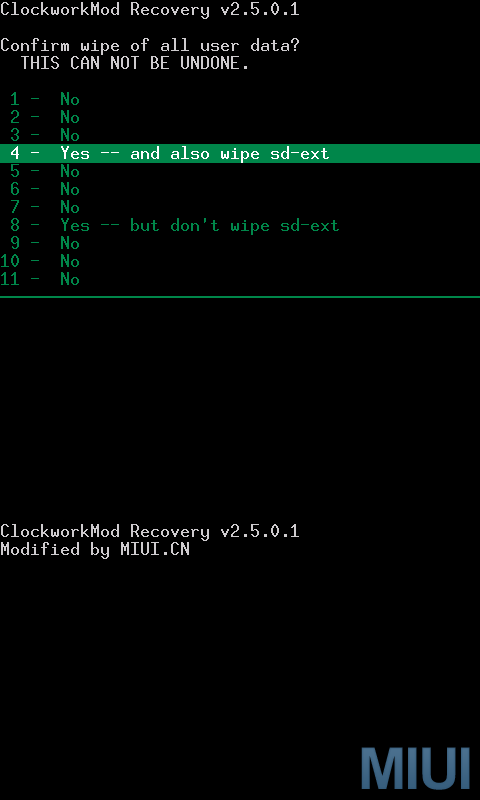
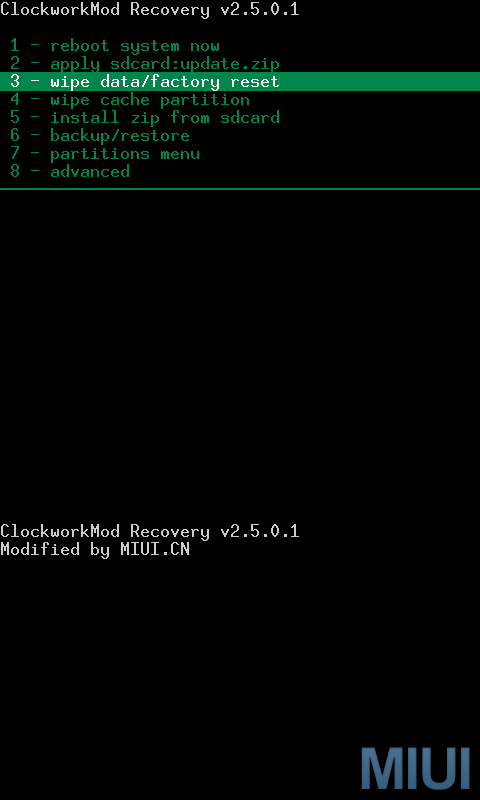
<li><i><b>Use trackball in the Recovery interface and click on 3-wipe data/factory reset, then choose 4 &#8211; yes -and also wipe sd-ext.&nbsp;</b></i></li>
</ul>
<div class="separator" style="clear: both; text-align: center;"><i><b><a href="http://1.bp.blogspot.com/-aCjIx5DkZ2Q/T6zJV4_bHLI/AAAAAAAABdw/pMBDPw1GbEM/s1600/wipe2.png" imageanchor="1" style="margin-left: 1em; margin-right: 1em;"><img alt="Flashing MIUI ROM to Nexus One G5" border="0" height="400" src="http://1.bp.blogspot.com/-aCjIx5DkZ2Q/T6zJV4_bHLI/AAAAAAAABdw/pMBDPw1GbEM/s400/wipe2.png" title="Flashing MIUI ROM to Nexus One G5" width="240" /></a><a href="http://3.bp.blogspot.com/-1nEmIav1PlA/T6zJOI3er0I/AAAAAAAABdo/ewkLElkl0pM/s1600/wipe+1.png" imageanchor="1" style="margin-left: 1em; margin-right: 1em;"><img alt="Flashing MIUI ROM to Nexus One G5" border="0" height="400" src="http://3.bp.blogspot.com/-1nEmIav1PlA/T6zJOI3er0I/AAAAAAAABdo/ewkLElkl0pM/s400/wipe+1.png" title="Flashing MIUI ROM to Nexus One G5" width="240" /></a></b></i></div>
<p><b><i>Now the interface is back to Recovery again, use trackball to select and click 4 &#8211; wipe cache partition, and then select 8 &#8211; yes- wipe cache.</i></b>
<div class="separator" style="clear: both; text-align: center;"><i><b><a href="http://4.bp.blogspot.com/-h-4gaPMFJpM/T6zJlbiPBZI/AAAAAAAABd4/ceRXwPJRDXg/s1600/wipe3.png" imageanchor="1" style="margin-left: 1em; margin-right: 1em;"><img alt="Flashing MIUI ROM to Nexus One G5" border="0" height="400" src="http://4.bp.blogspot.com/-h-4gaPMFJpM/T6zJlbiPBZI/AAAAAAAABd4/ceRXwPJRDXg/s400/wipe3.png" title="Flashing MIUI ROM to Nexus One G5" width="240" /></a><a href="http://1.bp.blogspot.com/-ZvS0sfcoRPI/T6zJmAibazI/AAAAAAAABeA/pBxu1VRLOJs/s1600/wipe4.png" imageanchor="1" style="margin-left: 1em; margin-right: 1em;"><img alt="Flashing MIUI ROM to Nexus One G5" border="0" height="400" src="http://1.bp.blogspot.com/-ZvS0sfcoRPI/T6zJmAibazI/AAAAAAAABeA/pBxu1VRLOJs/s400/wipe4.png" title="Flashing MIUI ROM to Nexus One G5" width="240" /></a></b></i></div>
<p><b><span style="font-size: large;"><i>&nbsp;</i><i>Flashing ROM pack</i></span><br /></b>
<div>
<div><i><b>Enter Recovery and flash ROM pack</b></i></div>
<div>
<ul>
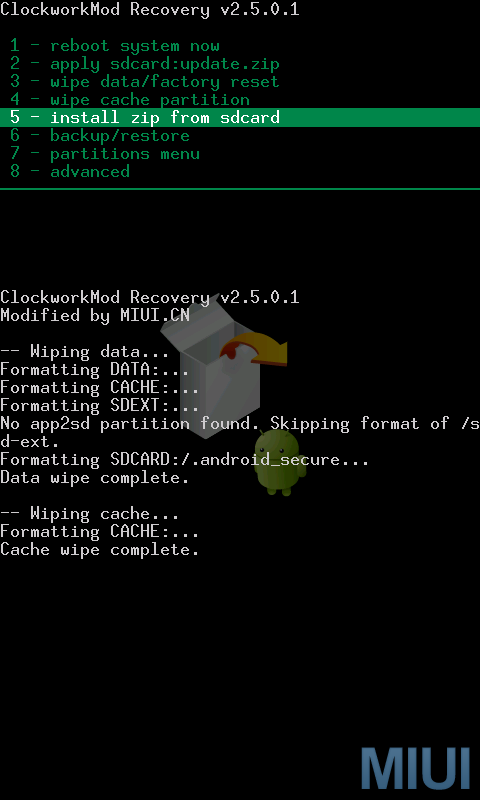
<li><i><b>In the main interface of Recovery, use trackball to select and click 5-install zip from sdcard, and then select 2-choose zip from sdcard&nbsp;</b></i></li>
</ul>
</div>
<div class="separator" style="clear: both; text-align: center;"><i><b><a href="http://1.bp.blogspot.com/-BAic4iBRcMU/T6zJ_dnAJcI/AAAAAAAABeI/42ov2JsTbSQ/s1600/flash.png" imageanchor="1" style="margin-left: 1em; margin-right: 1em;"><img alt="Flashing MIUI ROM to Nexus One G5" border="0" height="400" src="http://1.bp.blogspot.com/-BAic4iBRcMU/T6zJ_dnAJcI/AAAAAAAABeI/42ov2JsTbSQ/s400/flash.png" title="Flashing MIUI ROM to Nexus One G5" width="240" /></a><a href="http://3.bp.blogspot.com/-P5lDuBdbFbE/T6zKAO43lEI/AAAAAAAABeM/ZnsTgdEqG3Q/s1600/flash1.png" imageanchor="1" style="margin-left: 1em; margin-right: 1em;"><img border="0" height="400" src="http://3.bp.blogspot.com/-P5lDuBdbFbE/T6zKAO43lEI/AAAAAAAABeM/ZnsTgdEqG3Q/s400/flash1.png" width="240" /></a></b></i></div>
<ul>
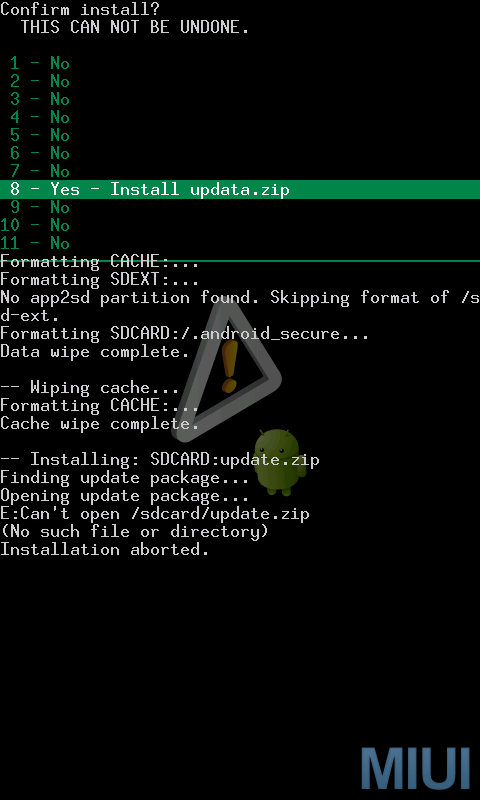
<li><b><i>&nbsp;</i><i>Use trackball to select and click the ROM package we have already prepared. Now you need to confirm to install. Use trackball to select and click 8-yes-install update.zip.&nbsp;</i></b></li>
</ul>
<div class="separator" style="clear: both; text-align: center;"><i><b><a href="http://4.bp.blogspot.com/-7udsgWUiAFU/T6zKPxYgUXI/AAAAAAAABeY/uCCweLoJyHw/s1600/flash2.png" imageanchor="1" style="margin-left: 1em; margin-right: 1em;"><img border="0" height="400" src="http://4.bp.blogspot.com/-7udsgWUiAFU/T6zKPxYgUXI/AAAAAAAABeY/uCCweLoJyHw/s400/flash2.png" width="240" /></a><a href="http://2.bp.blogspot.com/-9GjOS7ClFyc/T6zKQWyyUnI/AAAAAAAABec/cmuIsHBexT8/s1600/flash3.png" imageanchor="1" style="margin-left: 1em; margin-right: 1em;"><img alt="Flashing MIUI ROM to Nexus One G5" border="0" height="400" src="http://2.bp.blogspot.com/-9GjOS7ClFyc/T6zKQWyyUnI/AAAAAAAABec/cmuIsHBexT8/s400/flash3.png" title="Flashing MIUI ROM to Nexus One G5" width="240" /></a></b></i></div>
<ul>
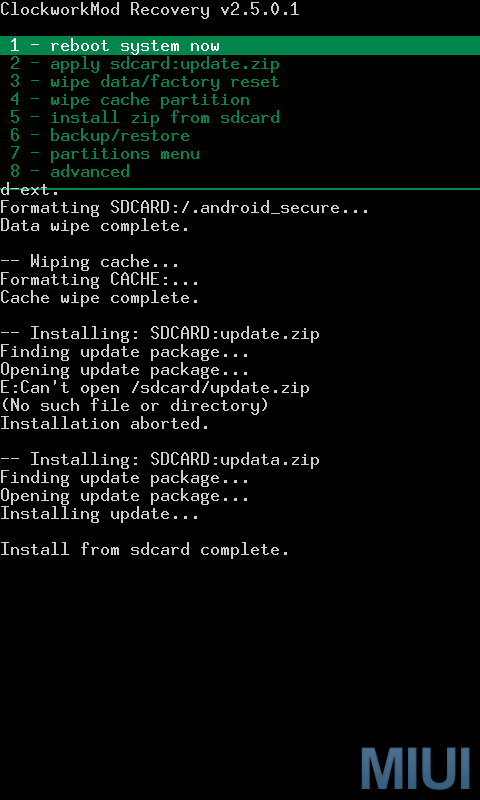
<li><i><b>&nbsp;When the progress bar completes and the message “install from sdcard complete” is shown at the bottom of the interface, it means that the flashing is done.</b></i></li>
</ul>
<div class="separator" style="clear: both; text-align: center;"><i><b><a href="http://3.bp.blogspot.com/-hH3cPEQSDu8/T6zKhxJGM7I/AAAAAAAABeo/Cs1_DcIDzsI/s1600/flash4.png" imageanchor="1" style="margin-left: 1em; margin-right: 1em;"><img alt="Flashing MIUI ROM to Nexus One G5" border="0" height="400" src="http://3.bp.blogspot.com/-hH3cPEQSDu8/T6zKhxJGM7I/AAAAAAAABeo/Cs1_DcIDzsI/s400/flash4.png" title="Flashing MIUI ROM to Nexus One G5" width="240" /></a><a href="http://1.bp.blogspot.com/-nmTYIp3o8qE/T6zKi1i4YrI/AAAAAAAABes/F6qooJflIy0/s1600/flash5.png" imageanchor="1" style="margin-left: 1em; margin-right: 1em;"><img alt="Flashing MIUI ROM to Nexus One G5" border="0" height="400" src="http://1.bp.blogspot.com/-nmTYIp3o8qE/T6zKi1i4YrI/AAAAAAAABes/F6qooJflIy0/s400/flash5.png" title="Flashing MIUI ROM to Nexus One G5" width="240" /></a></b></i></div>
<ul>
<li><i><b>&nbsp;Now press “go back” to return to the main interface of Recovery. Use trackball to select and click “reboot system now”.&nbsp;</b></i></li>
</ul>
<div class="separator" style="clear: both; text-align: center;"><a href="http://1.bp.blogspot.com/-ShCsn63wRgk/T6zLFdsUsFI/AAAAAAAABe4/cemFgg6TlUE/s1600/flash6.png" imageanchor="1" style="margin-left: 1em; margin-right: 1em;"><i><b><img alt="Flashing MIUI ROM to Nexus One G5" border="0" height="400" src="http://1.bp.blogspot.com/-ShCsn63wRgk/T6zLFdsUsFI/AAAAAAAABe4/cemFgg6TlUE/s400/flash6.png" title="Flashing MIUI ROM to Nexus One G5" width="240" /></b></i></a></div>
<div>
<ul>
<li><i><b>Now your phone begins to reboot, then what will happen? You will enter MIUI ROM!</b></i></li>
<li><i><b>If you see the following image after rebooting, it means that you have succeeded in flashing MIUI ROM.</b></i></li>
</ul>
</div>
</div>
<div class="separator" style="clear: both; text-align: center;"><i style="margin-left: 1em; margin-right: 1em;"><a href="http://1.bp.blogspot.com/-KrEsSXswKGE/T6zLc0sF0rI/AAAAAAAABfA/roBnkH3paBw/s1600/zhinan_sus.jpg" imageanchor="1" style="margin-left: 1em; margin-right: 1em;"><b><img alt="Flashing MIUI ROM to Nexus One G5" border="0" height="320" src="http://1.bp.blogspot.com/-KrEsSXswKGE/T6zLc0sF0rI/AAAAAAAABfA/roBnkH3paBw/s320/zhinan_sus.jpg" title="Flashing MIUI ROM to Nexus One G5" width="192" /></b></a></i></div>
<p></b></b></p>
]]></content:encoded>
			<wfw:commentRss>http://modern-smartphone.6te.net/?feed=rss2&#038;p=199</wfw:commentRss>
		<slash:comments>0</slash:comments>
		</item>
		<item>
		<title>&gt;ROM Manager Premium [for Android]</title>
		<link>http://modern-smartphone.6te.net/?p=197</link>
		<comments>http://modern-smartphone.6te.net/?p=197#comments</comments>
		<pubDate>Fri, 11 May 2012 00:16:00 +0000</pubDate>
		<dc:creator>admin</dc:creator>
				<category><![CDATA[Android Apps]]></category>
		<category><![CDATA[Google Android]]></category>

		<guid isPermaLink="false">http://modern-smartphone.6te.net/?p=197</guid>
		<description><![CDATA[> Must have app for any root user. Make backups, flash ROMs, and own your device.ROM Manager is THE MUST HAVE APP for any Android root user. (Over 3 million downloads and counting!) .ROOT USERS ONLY!Features Flash your recovery to the latest and greatest ClockworkMod recovery. Manage your ROMs via a handy UI. Organize and [...]]]></description>
			<content:encoded><![CDATA[<p>>
<div class="separator" style="clear: both; text-align: center;"><a href="http://4.bp.blogspot.com/-CSW5VJracvQ/T6xY0hfLHOI/AAAAAAAABcc/1NSx09alEBk/s1600/Rom+Manager.png" imageanchor="1" style="clear: right; float: right; margin-bottom: 1em; margin-left: 1em;"><img alt="ROM Manager Premium" border="0" src="http://4.bp.blogspot.com/-CSW5VJracvQ/T6xY0hfLHOI/AAAAAAAABcc/1NSx09alEBk/s1600/Rom+Manager.png" title="ROM Manager Premium" /></a></div>
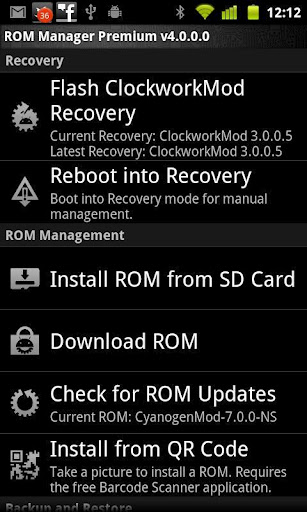
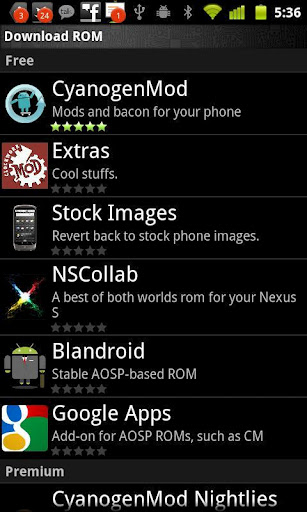
<p><i><b>Must have app for any root user. Make backups, flash ROMs, and own your device.</b></i><br /><i><b>ROM Manager is THE MUST HAVE APP for any Android <a href="http://www.modern-smartphone.com/p/android-rooting.html" target="_blank">root user</a>. (Over 3 million downloads and counting!) .<a href="http://www.modern-smartphone.com/p/android-rooting.html" target="_blank">ROOT USERS ONLY</a>!</b></i><br /><b><u><i>Features</i></u></b>
<ul>
<li><i>Flash your recovery to the latest and greatest ClockworkMod recovery.</i></li>
<li><i>Manage your ROMs via a handy UI.</i></li>
<li><i>Organize and perform backups and restores from within Android!</i></li>
<li><i>Install ROMs from your SD card.</i></li>
<li><i>Install your favorite ROMs over the air!</i></li>
</ul>
<p><b><u><i>Premium Features:</i></u></b>
<ul>
<li><i>Premium ROMs</i></li>
<li><i>Receive notifications for when your ROM is updated!</i></li>
<li><i>Automatic backups</i></li>
<li><i>Install from QR Code</i></li>
<li><i>Web Connect</i></li>
<li><i>Support</i></li>
</ul>
<div class="separator" style="clear: both; text-align: center;"><a href="http://1.bp.blogspot.com/-Lb_U4if05Dg/T6xY6L_n-sI/AAAAAAAABck/r9A_iejJhyc/s1600/Rom+Manager.jpg" imageanchor="1" style="margin-left: 1em; margin-right: 1em;"><img alt="ROM Manager Premium" border="0" height="400" src="http://1.bp.blogspot.com/-Lb_U4if05Dg/T6xY6L_n-sI/AAAAAAAABck/r9A_iejJhyc/s400/Rom+Manager.jpg" title="ROM Manager Premium" width="238" /></a><a href="http://1.bp.blogspot.com/-vkGkRXqSmW8/T6xY6149wxI/AAAAAAAABco/_VyO2TKe2iw/s1600/Rom+Manager1.jpg" imageanchor="1" style="margin-left: 1em; margin-right: 1em;"><img alt="ROM Manager Premium" border="0" height="400" src="http://1.bp.blogspot.com/-vkGkRXqSmW8/T6xY6149wxI/AAAAAAAABco/_VyO2TKe2iw/s400/Rom+Manager1.jpg" title="ROM Manager Premium" width="238" /></a></div>
<p>&nbsp;<i>*Note:&nbsp;If your ROM came with ROM Manager you&#8217;ll have to remove it before installing this.</i>
<div><i>Download&nbsp;ROM Manager Premium v5.0.0.7 from <a href="http://www.mediafire.com/?lmdecja2ipmuz7p" target="_blank">HERE</a>!</i></div>
]]></content:encoded>
			<wfw:commentRss>http://modern-smartphone.6te.net/?feed=rss2&#038;p=197</wfw:commentRss>
		<slash:comments>0</slash:comments>
		</item>
	</channel>
</rss>